Era Commander Strategy Game offers a unique blend of historical progression and unit fusion mechanics. The controls are intuitive, making it easy for new players to learn, while the strategic depth keeps experienced players engaged. The family-friendly approach ensures it is suitable for all ages, and the rewarding progression system provides a satisfying sense of achievement. A solid choice for strategy enthusiasts.
Era Commander Strategy Game is a strategy game where players take command of an army that evolves through historical eras. Starting from ancient times, you build a powerful force by unlocking elite units such as archers, swordsmen, snipers, and infantrymen. Each era introduces new challenges and opportunities, requiring both quick reactions and strategic thinking. The core of the game is unit evolution, where mastering upgrades is key to victory. With simple controls and a rewarding progression system, this game offers an engaging experience for players who enjoy tactical planning and historical themes.
To play, use your mouse to interact with the in-game interface and start battles. To evolve your army, select a unit and combine it with a similar unit to create a stronger version from the next epoch. This fusion unlocks new abilities and strengths. Click on any unit to view detailed information, helping you plan your strategy. React quickly and think ahead, combining units efficiently to build a formidable army. With each successful battle, you advance through history, facing tougher foes and unlocking more powerful troops.
Game features include strategic unit evolution through historical eras. Casual yet deep gameplay makes it accessible for all ages. Family-friendly war tactics focus on planning and progression. Simple controls allow easy unit management and fusion. The game offers a clear progression system with new challenges in each era.
To succeed, focus on mastering unit fusion to create stronger troops quickly. Plan your upgrades carefully to adapt to each era's unique challenges. Use the unit information feature to learn strengths and weaknesses, and always think ahead to counter enemy strategies. Practice combining units efficiently to build a balanced army. Stay patient and learn from each battle to improve your tactical skills over time.
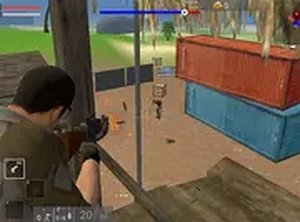
A fun, free tactical game with a tropical setting. Great for strategy fans of all ages.

Fast-paced city defense with increasing difficulty. Great for quick sessions and improving reflexes.

ProperSix Prediction Challenge offers a fun, secure multiplayer experience with transparent blockchain technology and easy access for all players.

Innkeeper Defense Strategy offers a calm, strategic puzzle experience with a unique ancient Chinese setting. Great for family play.
A fun, family-friendly tower defense game with strategic depth and multiple towers to master.
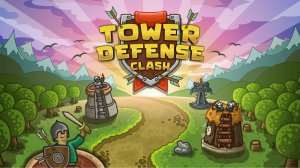
A well-balanced tower defense game with 18 levels, unique towers, and spells. Great for quick strategy sessions.

A creative, non-violent tower defense game that encourages strategic thinking and problem-solving for all ages.
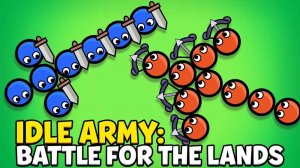
A relaxing yet strategic idle game that rewards thoughtful upgrades and steady progression. Perfect for family-friendly fun.